- Published on
Step-by-Step Guide to Setting Up RBAC in Kubernetes
- Authors

- Name
- Sneha Tuladhar
- @
Table of Contents
- Introduction
- What is RBAC?
- Authentication and Authorization in Kubernetes
- RBAC Components
- Why Use RBAC in Kubernetes?
- Prerequisites
- Step-by-Step Setup
- Conclusion
Introduction
Kubernetes clusters are prime targets for security breaches if access is poorly managed. Role-Based Access Control (RBAC) serves as a blueprint for enforcing the principle of least privilege in Kubernetes — ensuring users and applications only access resources they explicitly need.
Instead of granting broad access, RBAC allows for the definition of granular rules — for instance, letting a developer view pods in a specific namespace while blocking them from deleting cluster-wide resources.
This guide provides insights on configuring RBAC to lock down a cluster, from creating granular roles to enforcing global policies.
What is RBAC?
RBAC (Role-Based Access Control) is a security mechanism that restricts system access based on roles assigned to users, groups, or service accounts. In Kubernetes, RBAC governs who can perform which actions on which resources.
By using RBAC, roles can be created that limit permissions to specific tasks, link those roles to users or service accounts, and enforce rules across individual namespaces or the entire cluster.
In Kubernetes, RBAC works by:
- Defining roles (permissions to perform actions like
getordeleteon resources like pods or secrets). - Binding those roles to identities (users, groups, or service accounts).
- Enforcing these rules at either the namespace level (e.g., restricting a team to a development environment) or cluster-wide (e.g., granting global monitoring access).
Authentication and Authorization in Kubernetes
Kubernetes secures its clusters using various mechanisms, with Role-Based Access Control (RBAC) being a primary one.
This system checks the identity of users and whether they can access certain parts of the system.
Identity can be verified through service accounts, certificates, tokens, or external identity providers.
Once authenticated, Kubernetes uses rules and bindings to determine what actions can be performed.
Rules set permissions in specific areas, while Cluster Rules work across the entire system.
These rules link to users, groups, or service accounts, ensuring tight control.
By following best practices such as employing the least privilege principle, monitoring access, and maintaining separation of duties, administrators can effectively keep Kubernetes clusters secure.

RBAC Components
RBAC in Kubernetes involves the following components:
- Role: Grants access to specific resources within a namespace.
- ClusterRole: Grants access to resources cluster-wide.
- RoleBinding: Associates a Role with a user or service account within a namespace.
- ClusterRoleBinding: Associates a ClusterRole with a user or service account across all namespaces.
Why Use RBAC in Kubernetes?
- Minimizes Risk: Restrict access to sensitive resources (e.g., secrets, nodes).
- Simplifies Compliance: Align with regulations like GDPR or HIPAA by enforcing least-privilege access.
- Enables Team Autonomy: Grant developers namespace-specific permissions without exposing the entire cluster.
- Scales Securely: Manage permissions consistently as the cluster grows.
Prerequisites
Before starting, ensure the following:
- A running Kubernetes cluster
- kubectl CLI installed and configured
- Basic knowledge of Kubernetes resource management
Step-by-Step Setup
1. Creating a Role
A Role defines permissions for resources within a specific namespace.
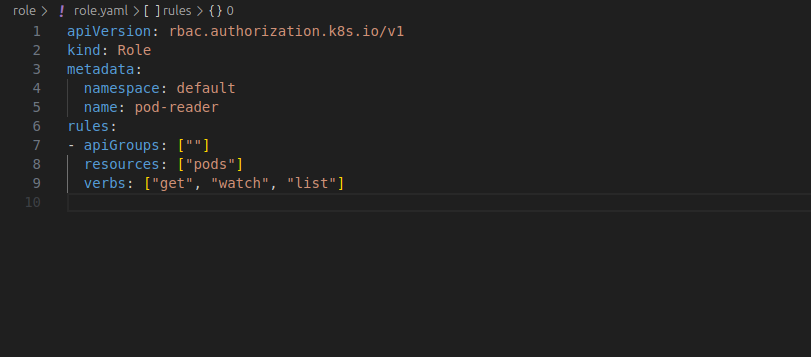
The following YAML creates a role named pod-reader to allow read-only access to pods in the default namespace.
Apply the Role:
kubectl apply -f role.yaml
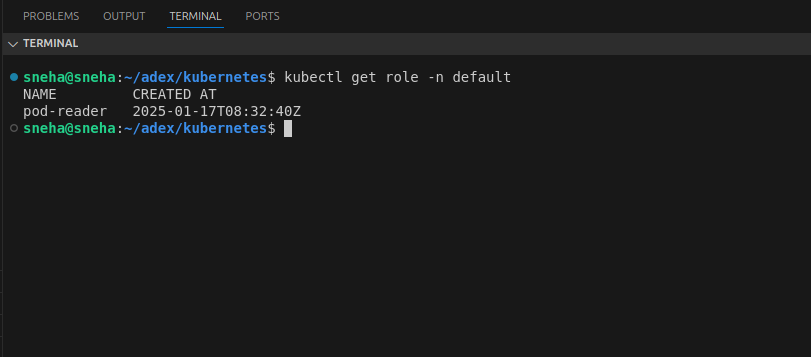
Verify the Role:
kubectl get role -n default
2. Binding the Role to a User
A RoleBinding associates the pod-reader role with a user named jack.
apiVersion: rbac.authorization.k8s.io/v1
kind: RoleBinding
metadata:
  name: read-pods
  namespace: default
subjects:
- kind: User
  name: jack
  apiGroup: rbac.authorization.k8s.io
roleRef:
  kind: Role
  name: pod-reader
  apiGroup: rbac.authorization.k8s.io
Apply the RoleBinding: The command kubectl apply -f rolebinding.yaml applies the role binding configuration from the specified file to bind a role (e.g., pod-reader) to a user (e.g., jack) in a specific namespace.
kubectl apply -f rolebinding.yaml
Test Permissions:
kubectl auth can-i get pod --as jack
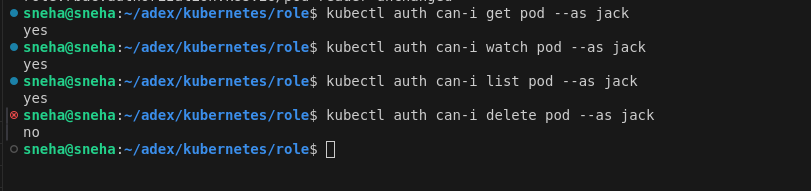
Here jack has permission to get,watch and list but not delete.
3. Creating a Cluster Role
A ClusterRole defines permissions for resources across the entire cluster.
For example, the following YAML creates a cluster role named secret-reader to allow read-only access to secrets.
Here, user Jack has permission to get, watch, and list secrets, but not delete them.
apiVersion: rbac.authorization.k8s.io/v1
kind: ClusterRole
metadata:
  name: secret-reader
rules:
- apiGroups: [""]
  resources: ["secrets"]
  verbs: ["get", "watch", "list"]
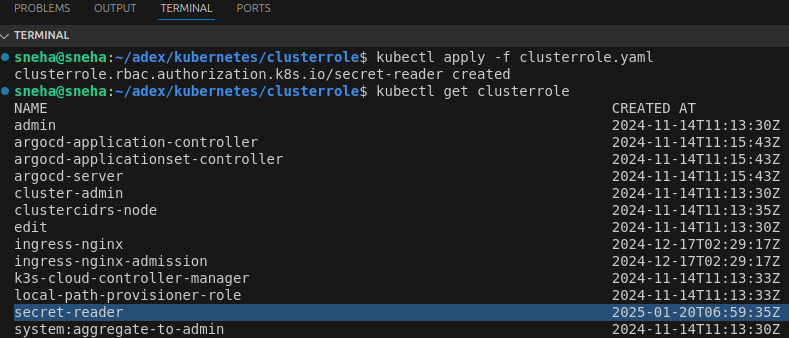
Apply and Verify the ClusterRole
After defining the ClusterRole, apply it to your cluster using the following command:
kubectl apply -f clusterrole.yaml
Verify the ClusterRole:
kubectl get clusterrole
4. Namespace-Level Role Binding
To bind the secret-reader ClusterRole to a user (dev) in the development namespace, use the following YAML definition:
apiVersion: rbac.authorization.k8s.io/v1
kind: RoleBinding
metadata:
  name: read-secrets
  namespace: development
subjects:
- kind: User
  name: dev
  apiGroup: rbac.authorization.k8s.io
roleRef:
  kind: ClusterRole
  name: secret-reader
  apiGroup: rbac.authorization.k8s.io
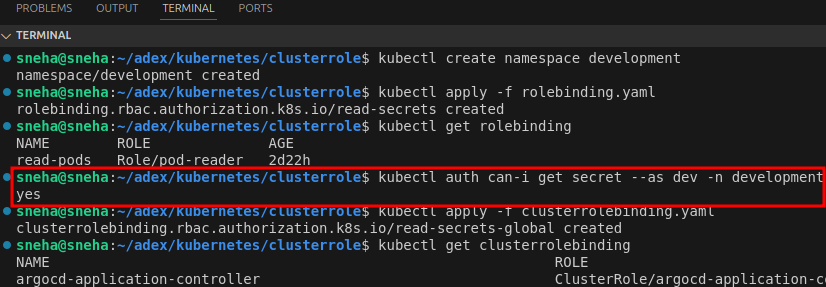
Create the Namespace (if not already created):
kubectl create namespace development
Apply the RoleBinding:
kubectl apply -f rolebinding.yaml
###Test Permissions:
kubectl auth can-i get secret --as dev -n development
5. Global Cluster Role Binding
To bind the secret-reader ClusterRole to a user globally across all namespaces, a ClusterRoleBinding should be used.
apiVersion: rbac.authorization.k8s.io/v1
kind: ClusterRoleBinding
metadata:
  name: read-secrets-global
subjects:
- kind: User
  name: sneha
  apiGroup: rbac.authorization.k8s.io
roleRef:
  kind: ClusterRole
  name: secret-reader
  apiGroup: rbac.authorization.k8s.io
Apply the ClusterRoleBinding
The following command applies the ClusterRoleBinding, associating the secret-reader ClusterRole with the user sneha across the entire cluster:
kubectl apply -f clusterrolebinding.yaml
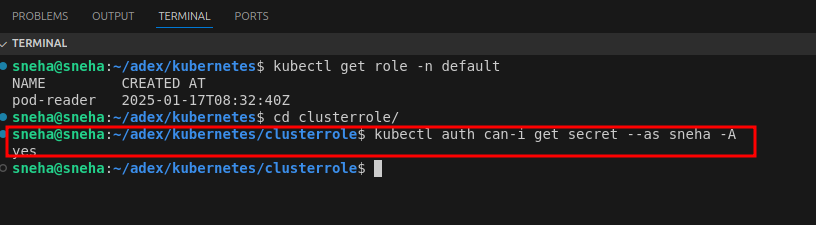
##Test Permissions Globally:
kubectl auth can-i get secret --as sneha -A
The -A flag in kubectl commands stands for "all namespaces". It is used to execute the command across all namespaces in the Kubernetes cluster, allowing for inspection of resources that are not specific to a single namespace.
Conclusion
Setting up RBAC in Kubernetes is essential for maintaining secure and organized access control in a cluster.
By following the steps outlined in this guide, granular permissions can be defined and enforced using Roles, RoleBindings, ClusterRoles, and ClusterRoleBindings.
RBAC not only enhances security but also aligns with the principle of least privilege, ensuring users have access only to the resources they need.
Implementing RBAC is a crucial step in safeguarding a Kubernetes environment.